Let AI decide what's for dinner tonight: a busy parent's lifesaver
It's 5pm. The kids are hungry, you're tired, and you're staring into the fridge hoping dinner will magically assemble itself. Sound familiar? I've been there more times than I'd like to admit, and honestly, "dinner decision fatigue" might just be the most underrated stressor of parenting.
The good news? You can now outsource that mental load to AI. Tools like ChatGPT, Claude, Gemini, and Copilot can look at a photo of your fridge and tell you exactly what to cook. No meal planning, no recipe scrolling, no 6pm panic. Here's how to do it in under five minutes.
Why this actually works
Modern AI chatbots can "see" images. That means you don't have to type out a list of every sad carrot and half-used jar of pesto lurking in your fridge. You snap a photo, upload it, and let the AI do the reading. Then it suggests a meal built around what you already own, which saves money, cuts waste, and means no emergency trip to the shop.
Step 1: Pick your AI tool
Any of the major free chatbots will work. ChatGPT, Claude, Gemini, and Microsoft Copilot all accept image uploads on their free tiers. Download the app on your phone, or open it in your browser, whichever is easier when you've got a toddler clinging to your leg.
Step 2: Take a good photo (or two)
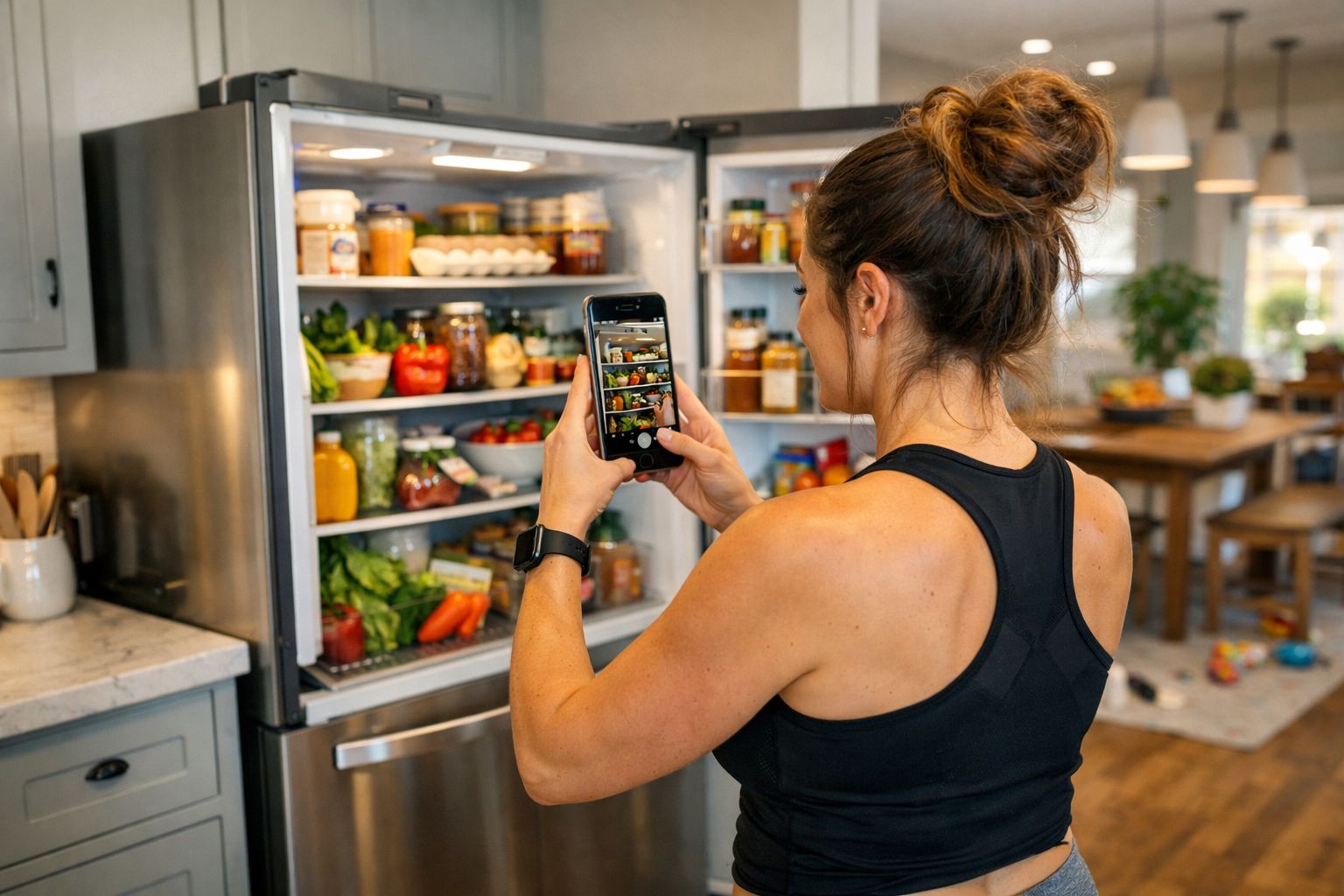
Open the fridge, pull out any drawers where things are hiding, and take a clear, well-lit photo. If your fridge is stuffed, take a couple of pictures from different angles so nothing important gets missed. Do the same for your pantry or cupboard if you want the AI to factor in pasta, tinned tomatoes, rice, and so on. Don't forget the freezer if there's something in there worth using up.
A few quick photo tips:
- Good lighting matters. Turn the kitchen light on.
- Move things around so labels are visible where possible.
- If something is in an opaque container, mention it in your message (e.g. "there's also leftover roast chicken in the blue tub").
Step 3: Write a prompt that actually tells the AI about your family
This is where the magic happens, and it's the step most people skip. The AI is only as helpful as the information you give it. Don't just say "what should I make?". Tell it about the humans you're feeding.
Here's a template you can copy and adapt:
Here's a photo of what's in my fridge and pantry. Please suggest a dinner I can make tonight using mostly what you can see.
A few things to know:
- I'm cooking for number people: list them, e.g. 2 adults, a 7-year-old, and a 3-year-old
- Child's name doesn't like chicken, so if you suggest chicken please give me a quick alternative for them
- Nobody in the house will eat mushrooms or olives
- My youngest prefers plain food, nothing too spicy
- I've got about 30/45/60 minutes and I'm knackered, so nothing too fiddly
- We try to include a veg where we can
Please give me one main suggestion, plus a plan B in case I'm missing something you couldn't see in the photo.
That's it. The more specific you are about likes, dislikes, allergies, and time, the better the suggestion will be.
Step 4: Add the details that change everything
Little bits of context make a huge difference to the quality of what the AI gives you back. Think about mentioning:
- Fussy eaters. "My 5-year-old doesn't like chicken but everyone else does" means the AI can suggest a meal where his portion gets swapped for something simple like fish fingers or a cheese toastie, while the rest of you eat the same dish.
- Vegetables specifically. Kids are notoriously particular. "She'll eat carrots and peas but not peppers or courgette" is genuinely useful information.
- Allergies and intolerances. Always flag these clearly at the top of your message. Don't rely on the AI to remember from a previous chat.
- Your energy levels. Seriously, tell it you're tired. AI will happily suggest a one-pan traybake instead of a three-component meal if you ask for "low effort."
- Equipment. If you want to use the air fryer or slow cooker, say so.
- What you're trying to use up. "The spinach needs using today" will push the AI to build the meal around it.
Step 5: Chat back and forth
You don't have to accept the first suggestion. Treat it like a conversation with a friend who happens to be a chef. If the AI suggests pasta bake and you had pasta last night, just say "we had pasta yesterday, give me something else." If it suggests a curry and you're missing coconut milk, say so, and it'll pivot.
Some useful follow-ups:
- "Can you give me the recipe with exact quantities for four?"
- "Make it 20 minutes faster."
- "What can I swap the chicken for, for my daughter?"
- "What's a quick pudding I could do with what's left?"
A real example
Let's say your fridge photo shows: half a pack of mince, a red pepper, a bag of salad, some cheddar, a tub of Greek yoghurt, a lemon, and a few sad spring onions. Your pantry has rice, tinned tomatoes, and taco seasoning.
You tell the AI: two adults, two kids (6 and 4), the 4-year-old won't eat peppers, 30 minutes max, nothing spicy for the little one.
Back comes: easy beef tacos with rice on the side. Cook the mince with the tinned tomatoes and taco seasoning, keep a plain portion aside for the 4-year-old before adding the spice, chop the pepper into the adults' portions only, shred the lettuce from the salad bag, grate the cheese, dollop of yoghurt instead of sour cream, squeeze of lemon.
Dinner sorted. You haven't thought about it once.
A few honest caveats
- Always sense-check the recipe. AI occasionally gets cooking times or temperatures slightly off. If something sounds wrong, trust your instincts.
- Double-check allergens. Never rely on AI alone if someone in your house has a serious allergy. Read ingredient labels yourself.
- It won't always spot hidden things. If half your fridge is in Tupperware, the AI can't see inside. Tell it what's in there.
The real win
The point of this isn't really the recipe. It's that you don't have to decide. For busy parents, the hardest part of dinner isn't the cooking, it's the thinking. Letting AI take that mental load, even a few nights a week, frees up a surprising amount of brain space for the stuff that actually matters.
Give it a go tonight. Snap the fridge, tell it about your lot, and see what it comes up with. Worst case, you ignore the suggestion. Best case? Dinner is handled, and you didn't have to think about it once.
If you try this, I'd love to hear how you got on, so let me know over on the leeleeloves.co.uk socials.